OnView Integrated Solutions Logo

Add live video monitoring to your existing cameras

Camera Takeover connects compatible existing cameras to OnView Live Surveillance Monitoring. Our agents verify activity and follow approved response procedures, helping address relevant events as they develop.

An assessment confirms what can be reused, improved, or added.

Request a camera assessmentSee how it works

Law enforcement

veteran owned

20+ Years

Security experience

MBE Certified

NMSDC

UL 827A Listed

Central station

ACO · PPO · C7 · C10

Licensed capabilities

What Camera Takeover adds to your existing cameras

You keep the cameras that work. OnView adds three connected capabilities to selected camera views: live monitoring, agent verification, and coordinated action. Together, they help address relevant activity as it develops instead of relying only on recorded footage afterward.

Add live monitoring to your existing cameras.
Illustration of an OnView monitoring and dispatch agent wearing a headset beside a 24/7 display.

Live video monitoring

Selected camera views are monitored during the hours established for your property.
Surveillance screen with shield and magnifying glass icon representing OnView security event verification.

Agent verification

An OnView agent reviews available video and relevant site information to help determine whether the activity requires attention.
Shield and badge icon representing OnView Response and On-Demand Guard Response.

Coordinated action

When action is appropriate, the agent follows the procedures approved for your property. This may include a live voice warning, designated contact notification, eligible guard response, or a request for law enforcement response.

From camera assessment to active monitoring
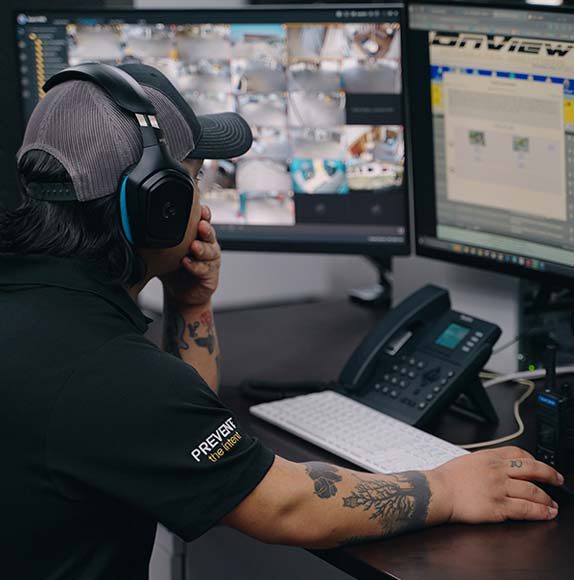
Camera Takeover begins with an assessment of your property and existing camera system. The findings determine what can be connected, what should be improved, and what may need to be added before monitoring begins.
OnView Live Surveillance Monitoring agents review alerts and live camera feeds to verify activity and support coordinated security response.
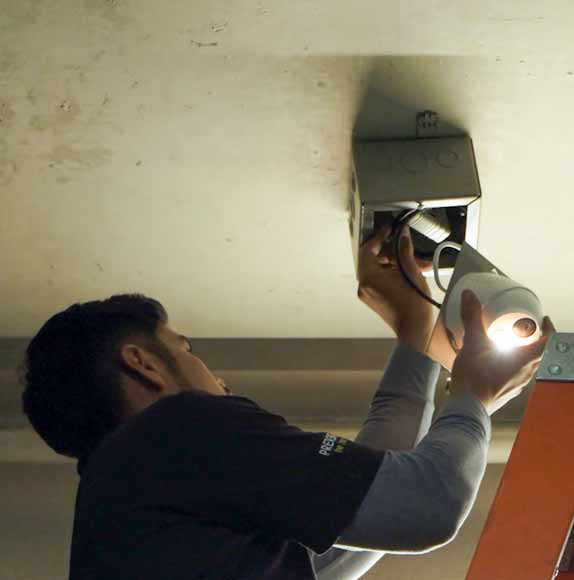
technician connecting existing security camera equipment.
1

Assess the property and current system

OnView reviews your existing equipment, camera views, image quality, nighttime visibility, connectivity, property conditions, operating hours, and security priorities.

The assessment provides

Camera views recommended for monitoring
Compatibility findings for your existing system
Recommended monitoring hours and response procedures
Camera viewCoverage or equipment gaps that should be corrected recommended for monitoring
Clear next steps for activation, upgrades, or installation
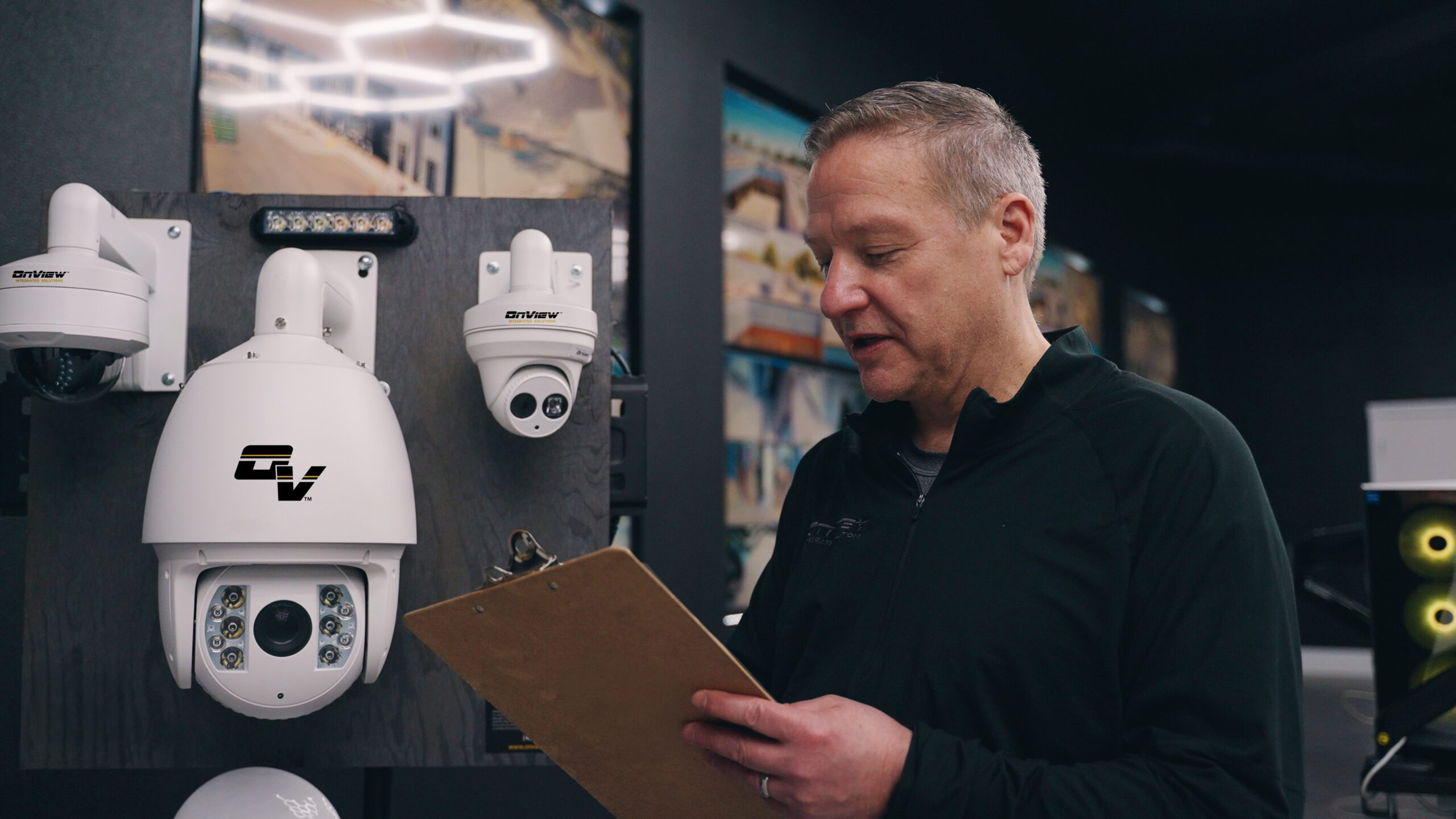
OnView staff evaluates existing security camera equipment to identify system needs, upgrades, and monitoring opportunities for commercial properties.
2

Activate, upgrade, or install

Based on the assessment, OnView prepares the system using one or more of the following options:

Activate what works

Connect compatible cameras and selected views to Live Surveillance Monitoring.

Upgrade what is missing

Improve coverage, nighttime visibility, connectivity, live voice capabilities, lighting, or supporting equipment where needed.

Install what is needed

Add cameras, speakers, network equipment, or infrastructure when the existing system cannot support the approved plan.
3

Configure monitoring and response

Once the approved work is complete, OnView configures the service around your property. This includes:

Selected camera views and monitored areas
Monitoring hours
Authorized activity
Property contacts
Site instructions
Available deterrence options
Approved response procedures

Ready to see how Live Surveillance Monitoring could support your property?

What happens during monitored events

Once the system is prepared and monitoring is active, OnView follows a defined process to evaluate relevant activity and take the appropriate next step.
Magnifying glass and focus markers icon representing OnView security detection.

1. Detect

AI assisted analytics identify activity based on configured site rules.

Surveillance screen with shield and magnifying glass icon representing OnView security event verification.

2. Verify

A trained U.S.-based agent reviews the event in real time.

Illustration of an OnView monitoring and dispatch agent wearing a headset beside a 24/7 display.

3. Monitor and deter

The agent can issue a live voice warning through on-site speakers.
On-Demand Guard Response icon

4. Respond

The event is escalated according to the client’s procedures.
Checklist document and shield with check mark icon representing OnView security documentation and verification.

5. Document

Event details and available video evidence are recorded.

The response depends on the verified activity and the procedures established for the property. Not every alert requires deterrence, law enforcement notification, or guard response.

Built for properties that already have cameras

Camera Takeover is a practical fit when camera infrastructure is in place but detection, verification, deterrence, coverage, or response needs to improve.
Two building silhouettes representing OnView security solutions for commercial real estate and multifamily properties.

Multifamily and HOA communities

Improve visibility across entrances, gates, parking areas, perimeters, and common spaces.
Retail building icon representing OnView security solutions for retail properties and multi-location portfolios.

Commercial real estate and retail

Monitor storefronts, service areas, parking lots, restricted areas, and after-hours activity.
Construction crane icon representing OnView security solutions for active construction and development sites.

Construction and development sites

Protect materials, equipment, access points, and changing perimeters as the project evolves.
Warehouse building icon representing OnView security solutions for logistics and distribution properties.

Warehouses, logistics, and industrial
Monitor gates, yards, loading areas, parking lots, and after-hours movement.
Excavator icon representing OnView security solutions for equipment and materials yards.

Auto, equipment, and materials yards

Protect vehicles, equipment, inventory, and materials across large outdoor properties and limited-access areas.
For Lease sign icon representing OnView security solutions for vacant and transitional properties.

Vacant and transitional properties

Adapt monitoring coverage as occupancy, access, construction, or ownership conditions change.
Multi-site operators: Coordinate consistent monitoring schedules, response procedures, and event reporting across approved locations.

One partner. From installation to intervention.

Camera Takeover is part of OnView’s connected security model. Through one accountable team, OnView can assess the existing system, correct priority gaps, activate Live Surveillance Monitoring, use available deterrence, and coordinate the approved response.

Request a camera assessment

Connected capabilities

OnView brings Security Systems, Live Surveillance Monitoring, active deterrence, and Physical Security capabilities together under one provider.

Law enforcement experience

OnView is law enforcement veteran owned. That experience shapes a practical approach focused on identifying relevant activity early, verifying what is happening, and following the appropriate next step.

Clear accountability

Monitoring schedules, site instructions, contacts, deterrence options, and response procedures are coordinated around one approved property plan.

Camera Takeover frequently asked questions

What is Camera Takeover?
Camera Takeover is OnView’s assessment and integration service for properties that want to connect compatible existing cameras to Live Surveillance Monitoring and a defined response plan.
Will Camera Takeover work with my current system?
Compatibility depends on the cameras, recorder or video management system, network, video quality, and access available at the property. OnView reviews the system before recommending an integration.
Do I need to replace all of my cameras?
Not necessarily. The assessment identifies what may be reused, what should be improved, and where new cameras or supporting equipment may be needed.
Do I need speakers for live voice warnings?
Suitable speakers or talk-down audio are required for live voice warnings. If the property does not have compatible audio, OnView can recommend or install it where appropriate.
Does monitoring include guard response?
On-Demand Guard Response is available only for enrolled customers in supported service areas and may be dispatched when appropriate under the approved response procedure.
Can Camera Takeover support multiple locations?
Yes, when the systems and locations meet the service requirements. OnView can develop consistent monitoring rules and reporting across approved properties.
What types of properties does OnView protect?
OnView supports construction sites, commercial and multifamily properties, auto dealerships, equipment yards, warehouses, retail portfolios, vacant properties, public sector facilities, and other commercial locations.

Have a question we did not answer?

Tell us about your property, current equipment, or areas where coverage is falling short. Our team can help you understand your options and identify the right next step.

Request a Security Consultation

Prefer to talk?
Call (877) 773-8687

No obligation.

Let’s see what your cameras can do

Request a Camera Assessment. We will review your existing system, property needs, coverage gaps, and response goals, then recommend what to activate, improve, or install.

Technical details such as recorder model, upload speed, and talk-down equipment can be gathered during follow-up.

Live Surveillance Monitoring routing form

14 + 3 =

Loading...